On Wednesday, October 21, the PHP project shipped an emergency security release patching the flaw pair now called PHP2Shell. The same day, the U.S. National Security Agency put out a rare public warning telling website operators to patch immediately — or, if they couldn’t, to take their sites offline until they could. Within hours, government websites in several countries had gone dark as a precaution.
The reason is a pair of critical bugs nicknamed PHP2Shell. They sit in the core of PHP itself, they let an attacker run code on a server without logging in, and — in what’s become the defining detail of this story — they were found with the help of AI models.
If your website runs on WordPress, Laravel, Drupal, Magento, or almost anything else written in PHP, this one is about you. Here’s what’s actually going on, who’s affected, and the fix.

The 30-Second Version
- What: Two critical remote-code-execution flaws in PHP’s core, tracked as CVE-2026-109618 and CVE-2026-109619, each scored 9.2 out of 10 (CVSS 4.0)
- Who’s affected: Sites running PHP before 8.5.12, 8.4.27, 8.3.36, or 8.2.35 — and older, unsupported branches (8.1 and below) that no longer get upstream fixes
- Authentication needed: None. The PHP project says an unauthenticated request is enough
- The fix: Update PHP to 8.5.12, 8.4.27, 8.3.36, or 8.2.35 (or 8.6.0 RC4 if you’re on the next branch)
- Is WordPress itself the problem? No. WordPress says the flaw isn’t WordPress-specific — the fix has to happen on your server, not in a plugin
What PHP2Shell Actually Is
PHP2Shell is the collective name security firm Palo Alto Networks’ Unit 42 gave the two bugs. They’re related but distinct, and both come down to the same underlying problem: what PHP does when something goes badly wrong in the middle of handling a web request.
CVE-2026-109618 is a memory-corruption flaw triggered by running out of memory. When PHP hits an out-of-memory error, it abandons what it was doing and jumps out of the current code path to clean up. According to the PHP project’s advisory, that jump can happen while internal request data is only half-set-up — and the cleanup code then treats that half-built data as if it were valid. An attacker who can deliberately push PHP into that state can steer it toward running code of their choosing.
CVE-2026-109619 is a stale-state flaw. Request-owned internal data can survive after the memory behind it has been freed. A later request handled by the same PHP worker can then pick up that leftover data before PHP resets it. Same destination: code execution.
You don’t need to follow the memory-management details to understand the risk. The PHP team says it has a working exploit in which a single unauthenticated request triggers the bug before any of your application’s own code even runs. That’s the key point: a perfectly updated WordPress install with a perfectly clean set of plugins is still exposed if the PHP underneath it is old.
The advisory says every way of serving PHP to the web is at risk — PHP-FPM, Apache with mod_php, php-cgi, FrankenPHP, and LiteSpeed — with mod_php considered the highest-risk setup.
The Twist: AI Found Them

This is the part that makes PHP2Shell more than another patch-your-server notice.
According to reporting from TechCrunch and others, security firm Calif found one of the flaws using OpenAI’s GPT-5.6 Sol, working under OpenAI’s “Patch the Planet” initiative. Separately, Google-owned Wiz found multiple PHP vulnerabilities using its Wiz Atlas agent, powered by Gemini 4 Argon and GPT-5.6 Sol. Both teams say they disclosed responsibly and worked with the PHP maintainers on fixes before going public, and Wiz thanked a long list of infrastructure companies — including Automattic, Akamai, AWS, Cloudflare, Fastly, Microsoft, and Vercel — for helping test and respond.
That’s the good-news version: defenders used AI to find bugs that have reportedly been sitting in PHP’s code for roughly two decades, and got fixes ready first. OpenAI made exactly that point, noting that researchers found the flaws before attackers did.
The uncomfortable version is that the same tools work for attackers. Wiz put it bluntly: the effort it used to take to turn a bug like this into a working exploit “is no longer a barrier” with AI in the loop. If you read our coverage of how a Yemen-based cell used Claude to build missile guidance software, this is the same dual-use problem from the other direction — the model doesn’t care which side of the fence the person typing the prompt is on.
What’s Happened Since
The timeline moved fast, and the official line changed within days.
- October 20: The PHP project pre-announced a security release for 14:00 UTC the next day
- October 21: Patches shipped, the NSA issued its advisory, and — according to reports — some details leaked online ahead of the planned release. At disclosure, OpenAI said it knew of no attacks in the wild
- Government sites go dark: Reports, including Le Monde’s coverage, described government websites in several countries, among them France and the Netherlands, being pulled offline as a precaution. Unit 42 independently confirms that at least one European government took its website down
- October 23: Unit 42 reported something different from “no attacks in the wild.” It described an attacker using an agentic AI platform against a European government entity. Within two hours of the initial compromise, the attacker had reached password hashes and MFA secrets, set up an NTLM-relay tunnel into the victim’s Active Directory, and attempted to escalate to Domain Admin. Unit 42 notes that proof-of-concept code is circulating
- Same day: The PHP project published a related advisory for a third issue, CVE-2026-115560, involving session upload progress tracking — one that only matters if an application switches
session.serialize_handlerat runtime
How many sites are exposed? Estimates vary widely because everyone counts differently. Censys counted roughly 1.5 million unpatched PHP hosts out of about 2.6 million it examined; Palo Alto’s Cortex Xpanse reports more than 22.6 million exposed instances that are potentially vulnerable. Treat both as “a very large number,” not as precise figures.
Is My WordPress Site Affected?
If your site runs on a PHP version older than the fixed releases above, assume yes. The vulnerability lives in PHP, which is the layer beneath WordPress, so updating WordPress core, themes, and plugins does nothing for this on its own. WordPress’s own statement says site owners need to patch their servers and work with their hosting providers.
PHP runs roughly 70% of websites according to W3Techs, which is why the NSA treated this as an all-hands issue.
How to Check and Fix It
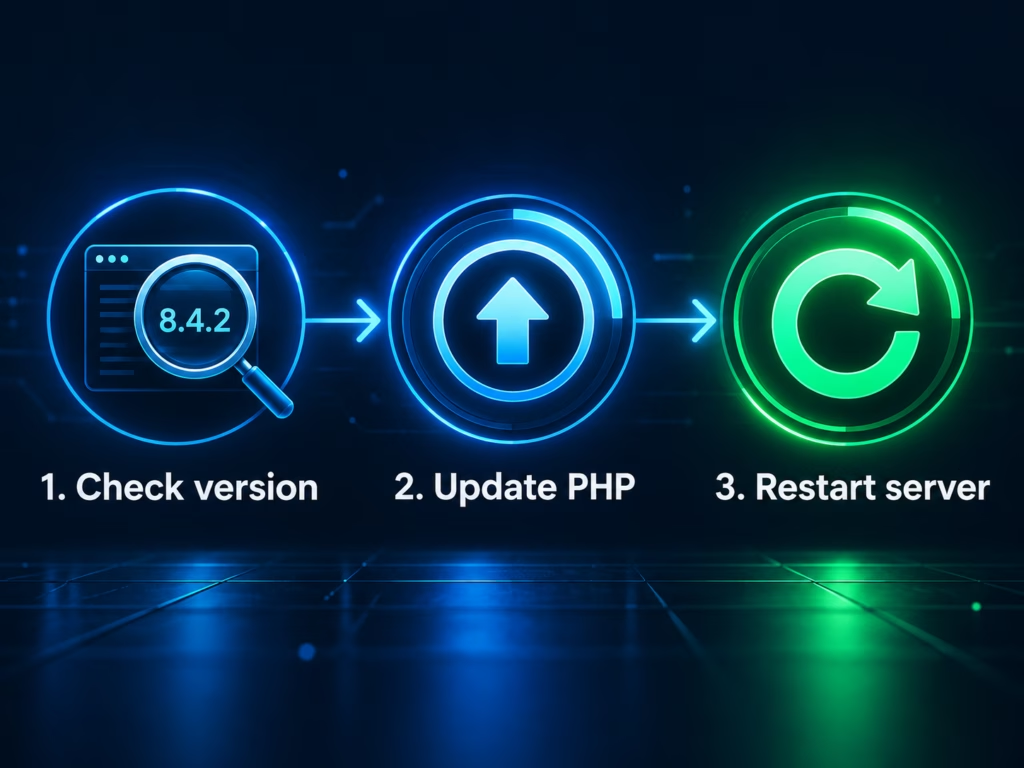
Step 1: find your real PHP version. In WordPress, go to Tools → Site Health → Info → Server and read the PHP version. Don’t rely on a command-line php -v on a server — the command-line PHP and the PHP serving your website are sometimes different installs.
Step 2: compare it to the fixed versions. You need 8.5.12, 8.4.27, 8.3.36, or 8.2.35 (or higher within your branch).
Step 3: update, depending on where you host.
- Shared hosting or cPanel: Check your host’s PHP manager. Some hosts patch automatically; many make you switch versions yourself. If your version isn’t updated, open a ticket and ask them directly when it will be
- Managed WordPress hosting: Ask your provider to confirm in writing that the fix is deployed. Most big names move quickly, but confirm rather than assume
- Your own VPS: Update the PHP packages and restart PHP-FPM or Apache. On Debian or Ubuntu that typically looks like the commands below — swap in your PHP version, and note that distribution repositories sometimes backport fixes under different version numbers, so check your vendor’s security notice if the number doesn’t match
sudo apt update
sudo apt install --only-upgrade 'php8.5*'
sudo systemctl restart php8.5-fpm
If you’re on PHP 8.1 or older, there are no upstream updates. The PHP security team did publish minimal source-code backports for 7.4, 8.0, and 8.1 on GitHub, and some Linux distributions and long-term-support vendors ship their own fixes. The real answer is to move to a supported branch.
If You Can’t Patch Today
The PHP project is explicit that updating is the only complete fix, but it lists measures that shrink the attack surface in the meantime:
- Set
session.upload_progress.enabled = 0in your server-level PHP configuration (not viaini_set()or.user.ini) and restart workers - Keep
post_max_sizelow — the advisory suggests 8M if you don’t need uploads, 32M if you do — and enforce request-size limits at your web server or proxy - On PHP 8.5, set
fatal_error_backtraces = 0 - Don’t use
RLIMIT_ASorRLIMIT_DATAmemory limits, which can themselves trigger the vulnerable failure path
None of these makes an unpatched server safe. They buy you time, nothing more. If you can’t patch and can’t mitigate, the NSA’s advice stands: take the site offline until you can.
After Patching: A Quick Hygiene Check
If your site was running a vulnerable version when exploit code started circulating, it’s worth a short sweep once you’ve updated. This is general good practice, not an official indicator list:
- Look for administrator accounts you don’t recognize in Users
- Check
wp-content/uploadsand your theme and plugin folders for PHP files that shouldn’t be there - Review recent file changes and unfamiliar scheduled tasks
- Rotate your WordPress salts, database password, and any API keys stored on the server if anything looks off
Security companies including Palo Alto Networks have also published detection guidance for larger organizations; Unit 42’s write-up includes hunting queries for post-exploitation activity.
FAQ
Do I need to update WordPress too? Not for this specific issue. The bug is in PHP, not in WordPress. Keep WordPress updated for other reasons, but the fix here is a PHP update on your server.
Are these bugs being exploited right now? Yes, according to Unit 42, which has observed an attack on a European government entity, and proof-of-concept code is circulating. At the time of the initial disclosure, OpenAI said it knew of no in-the-wild attacks, so the situation changed after release.
Which PHP versions are safe? PHP 8.5.12, 8.4.27, 8.3.36, 8.2.35, and 8.6.0 RC4 contain the fixes. Anything older within those branches is vulnerable, and PHP 8.1 and below get no official upstream patches.
Why does this one keep being called an “AI” story? Because AI models helped find the bugs, and AI agents are already being used to exploit them. The speed of both discovery and attack is the part that has security teams worried.
Is there a third CVE I should know about? The PHP project published CVE-2026-115560 on October 23, a related session-upload-progress issue. It only applies to applications that change session.serialize_handler at runtime before starting a session, and a fuller advisory is promised in a future release.
The Bottom Line
PHP2Shell is a patch-today story, but it’s also a preview of how security is going to work from here on. A model found a bug that humans missed for twenty years, a second team found it independently, defenders won the race to the fix by a matter of days — and then an AI-driven attacker was already inside a government network within two hours of exploiting it. The gap between “a flaw exists” and “a flaw is being used” is collapsing, and the only reliable response is the boring one: know what PHP version your site runs, and update it the day a critical fix lands.
Check your version this afternoon. It takes two minutes, and it’s the difference between reading about this one and starring in it.